
Dynamic Web Form using Angular Formly
Hello folks, in the world of Web Applications, Forms are an important part enabling user interaction and data collection. They facilitate communication, streamline processes, and enhance user experience.
Generally there are two types of forms, Statically typed and Dynamically configured.
Statically typed forms can be rigid and inflexible, complicating changes and updates. In contrast, dynamic forms offer adaptability, allowing real-time modifications and a personalized user experience, enhancing interaction and efficiency in web applications.
Today, lets talk about Dynamic Form using the Formly library for Angular.
Formly is an open-source library for Angular for dynamic (JSON powered) web forms that brings unmatched maintainability to your application's forms.
The goal of the Formly library is to simplify the process of creating and maintaining web forms, decreasing the amount of HTML code in favor of Typescript. It uses a simple JSON object to define the structure and validation of a form, which is then rendered using a template.
This allows developers to quickly create forms with a variety of field types, Including text inputs, checkboxes, and select lists. It also provides a range of built-in validation options and the ability to add custom validation.
This makes it easy to ensure that form data is accurate and complete before it is submitted. Moreover it has built-in support for various UI libraries such as Bootstrap, Angular Material, Kendo etc. which makes it more adaptable and handy for use.
Lets create a dynamic from using Formly library and Angular.
Installing and Importing
- Install @angular/forms & @ngx-formly/core packages
- npm install @angular/forms @ngx-formly/core --save
Choose and Install your choice of UI (pre-defined types/templates) package:
| UI | NPM Package Name | NgModule |
|---|---|---|
| Bootstrap | @ngx-formly/bootstrap | FormlyBootstrapModule |
| Material2 | @ngx-formly/material | FormlyMaterialModule |
| Ionic | @ngx-formly/ionic | FormlyIonicModule |
| PrimeNG | @ngx-formly/primeng | FormlyPrimeNGModule |
| Kendo | @ngx-formly/kendo | FormlyKendoModule |
| NG-ZORRO | @ngx-formly/ng-zorro-antd | FormlyNgZorroAntdModule |
| NativeScript | @ngx-formly/nativescript | FormlyNativescriptModule |
- npm install @ngx-formly/<PACKAGE_NAME> --save
- Note: replace <PACKAGE_NAME> with the UI Package Name of your choice.
- Import the FormlyModule and UI Package Module
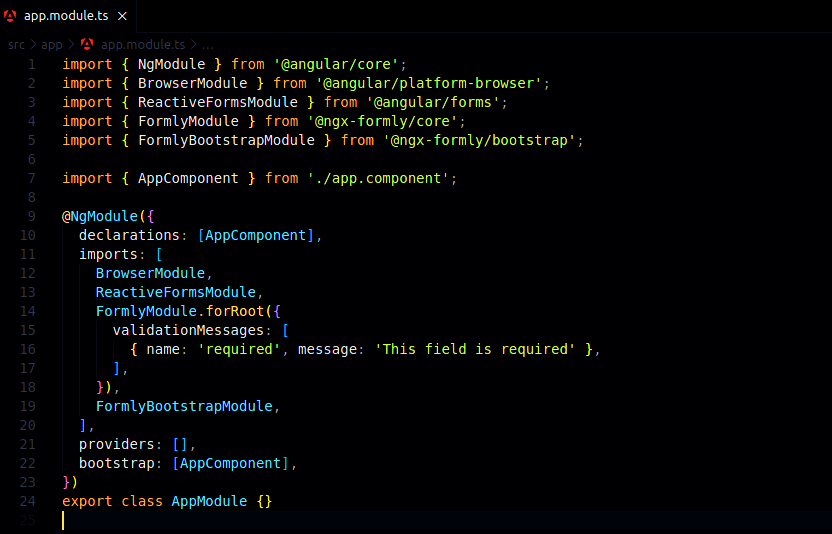
The forRoot() call is required at the application's root level. The forRoot() method accepts a config argument where you can pass extra config, register custom field types, wrappers, extensions and validation.
Template View
Add <formly-form> inside the form tag to your AppComponent template.
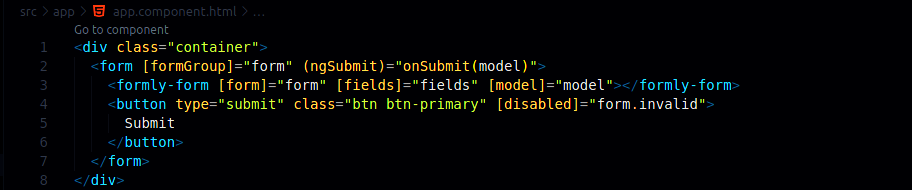
The <formly-form> component is the main container of the form, which will build and render form fields, it accept the following inputs:
- form: The form instance which allows tracking model value and validation status.
- fields: The field configurations for building the form.
- model: The model to be represented by the form.
For more details check Properties and Options of the official Documentation of Formly.
Create Form Model
We need to create a model representation of the form and bind to the template
This is needed to pre-populate values into our Form Fields.

Create Form Field Configuration
We will bind this FormlyFieldConfig array to the Template. This is a major part of what makes Formly so easy to use.
Each object of FormlyFieldConfig array is a form control and will be displayed as a form field.
Here we have full control over what type it is, what label or placeholder we want to display, and even specific validators and custom validation messages.
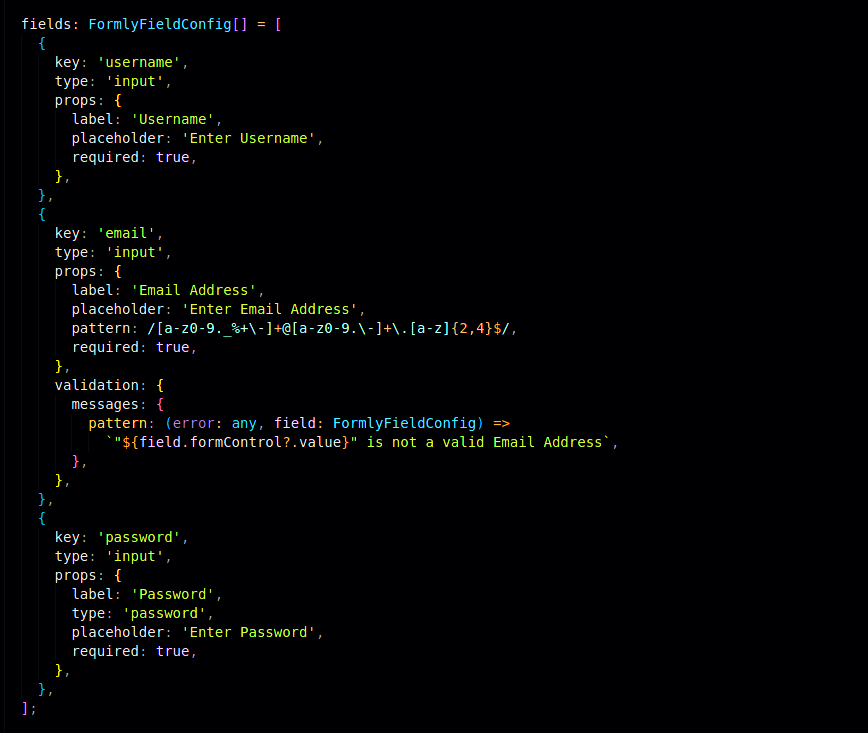
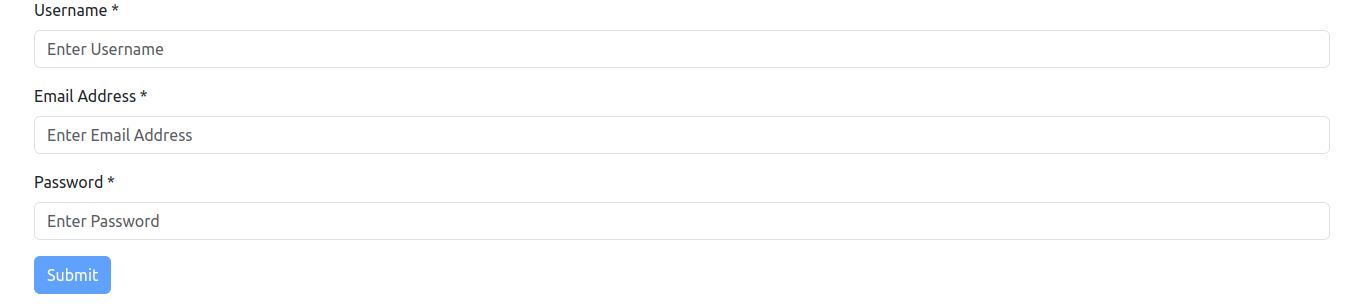
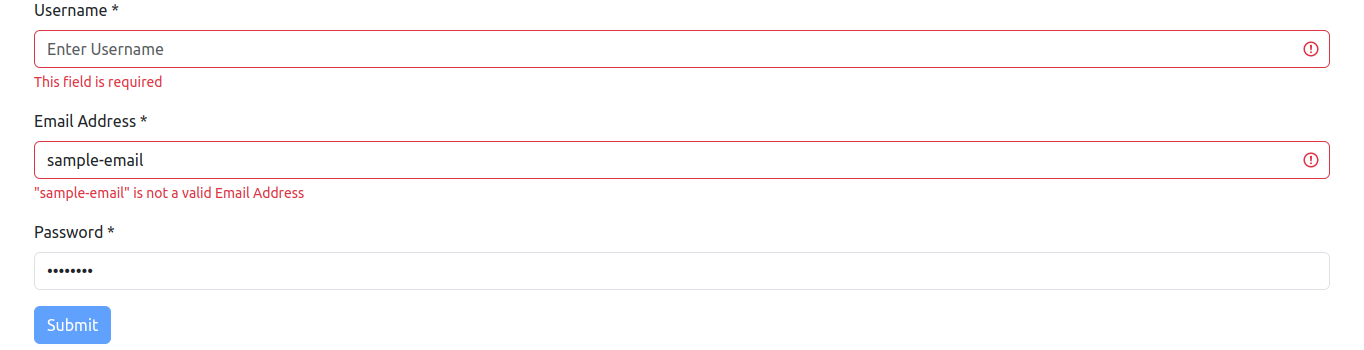
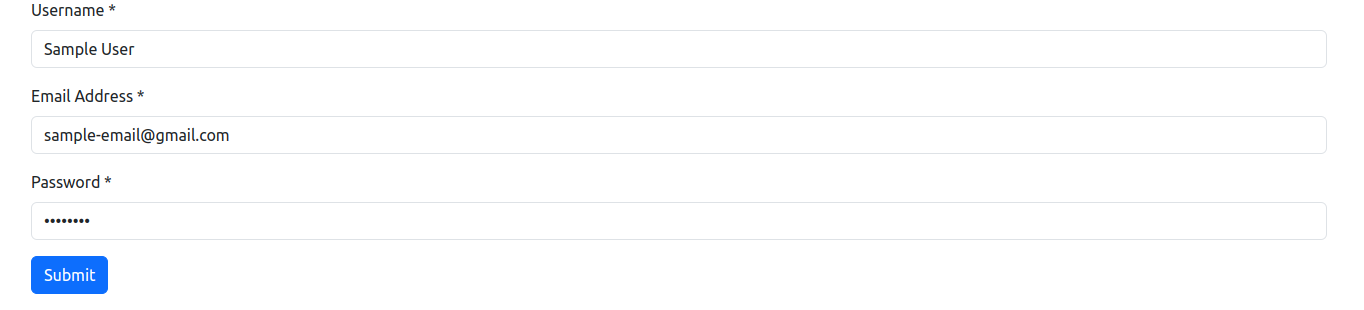
In this example code above, we have three fields Username, Email and Password. All fields are of input type and all fields are mandatory. Email field has Custom Email Validation logic to validate if the user inserts the email in the correct format. Password field has input text type as password so that entered password is masked and not visible as plain text.
Final Result
Conclusion
- Formly uses a simple JSON object to define the structure and validation of a form.
- Formly provides a range of built-in validation options, as well as the ability to add custom validation.
- Formly works with Angular's Reactive Forms module, which allows a more efficient handling of form data and validation.
- Formly allows the creation of dynamic forms, where fields and validation rules can be changed at runtime.
- Formly is easy to integrate into Angular applications and it provides a set of APIs for interacting with the forms it generates, such as setting and getting values, and triggering validation.
- Formly allows users to customize the validation messages for different fields.
In summary, Formly is a robust library for Angular that allows for easy creation of dynamic and complex forms, with built-in validation, dynamic forms, easy integration and custom validation messages.
References
- https://formly.dev/docs/guide/getting-started
- https://medium.com/@tholaday777/angular-formly-forms-504071a0b468